Bulk edit & extensions
Two things are rarely true of a single variable: a description, and the metadata a design
tool needs. "These twelve radius variables must be scoped to corner radius" and "these
twenty variables share the same description" are the normal cases, so both are editable
across a multi-selection, and vendor $extensions are now writable, not just
readable.
Extensions are a list of services
A token's DTCG $extensions block is an open namespace: each vendor owns a key and puts
whatever it needs under it. The Extensions section reflects exactly that. It lists the
services attached to the variable, one collapsible card each, rather than a wall of
fields:
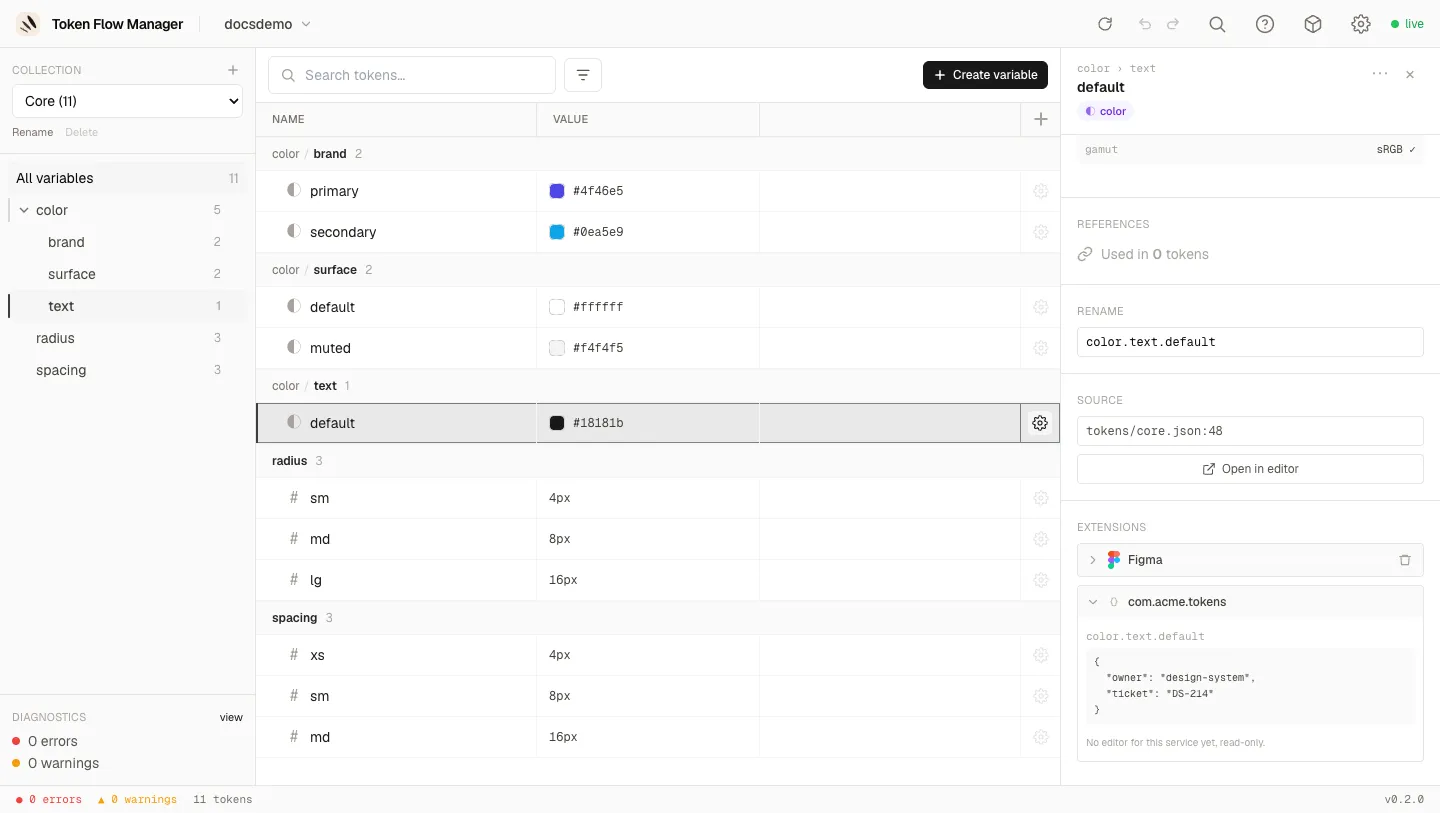
- Each card carries the service logo, its name, a count (
1/2) when only part of the selection has it, and a remove button. - Cards collapse, so a variable carrying several services stays readable.
- Services are cumulative: Figma and any other vendor coexist on the same variable.
- A vendor with no editor yet is shown read-only as formatted JSON, and is never altered by an edit elsewhere.
Figma is the first service with a real editor. Others can be added later without changing anything you see here: a new service simply appears as one more card, with its own fields and its own Add button.
Adding and removing a service
A variable created in the tool (or one never pushed to a design tool) carries no extension at all. Rather than showing empty Figma fields, the section offers the services you can add:
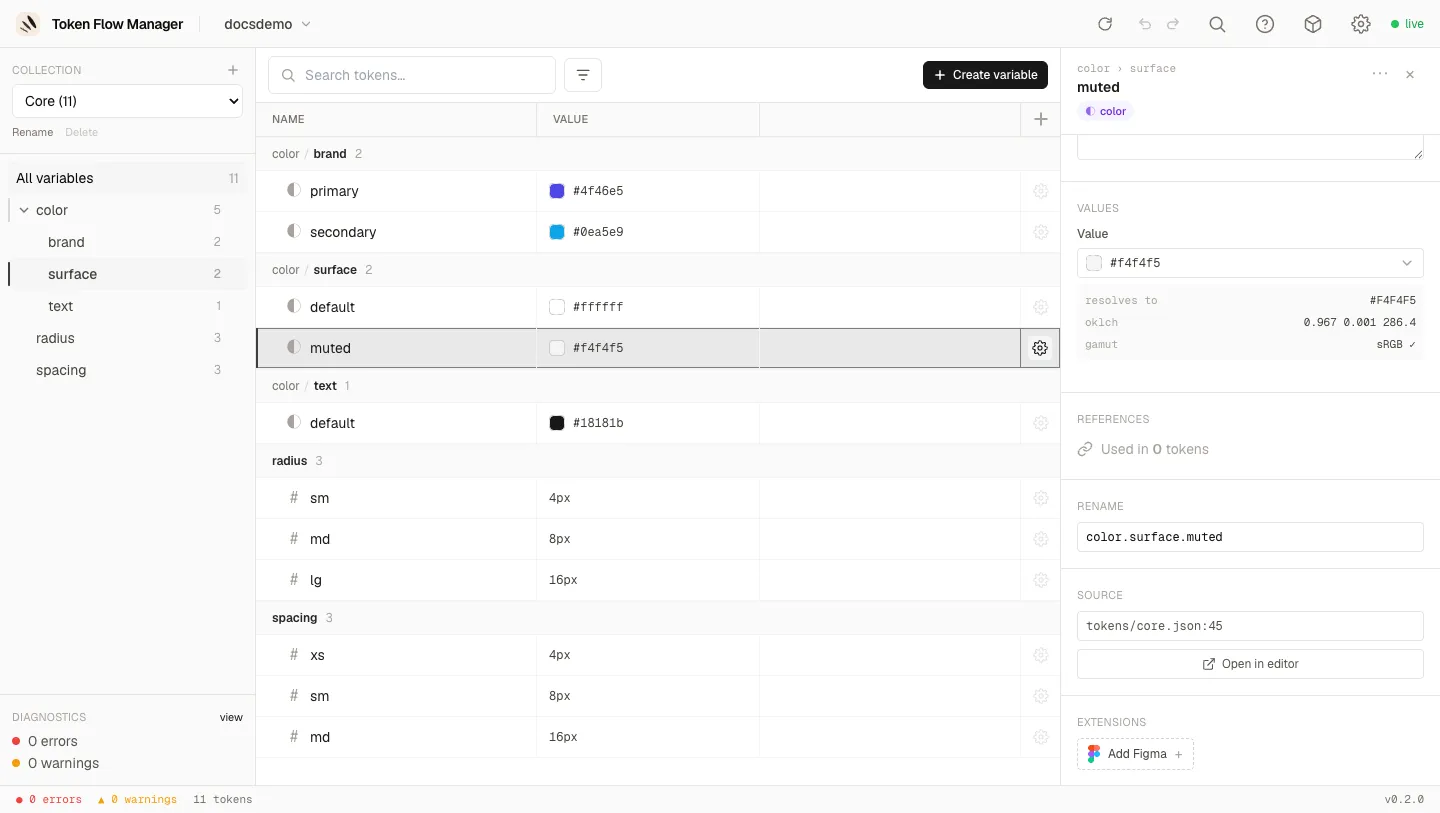
Adding writes the minimum the service needs, and only to the variables that lack it (the
1/2 on the card tells you how many). Removing deletes that vendor's block. Both are a
single undo away.
The service card only edits what carries it
Ticking a scope never creates the block on a variable that has none: those go through Add Figma explicitly. It keeps a bulk edit from silently converting unrelated variables into Figma variables.
The Figma service
Open a variable exported from Figma and its com.figma block becomes an editor:
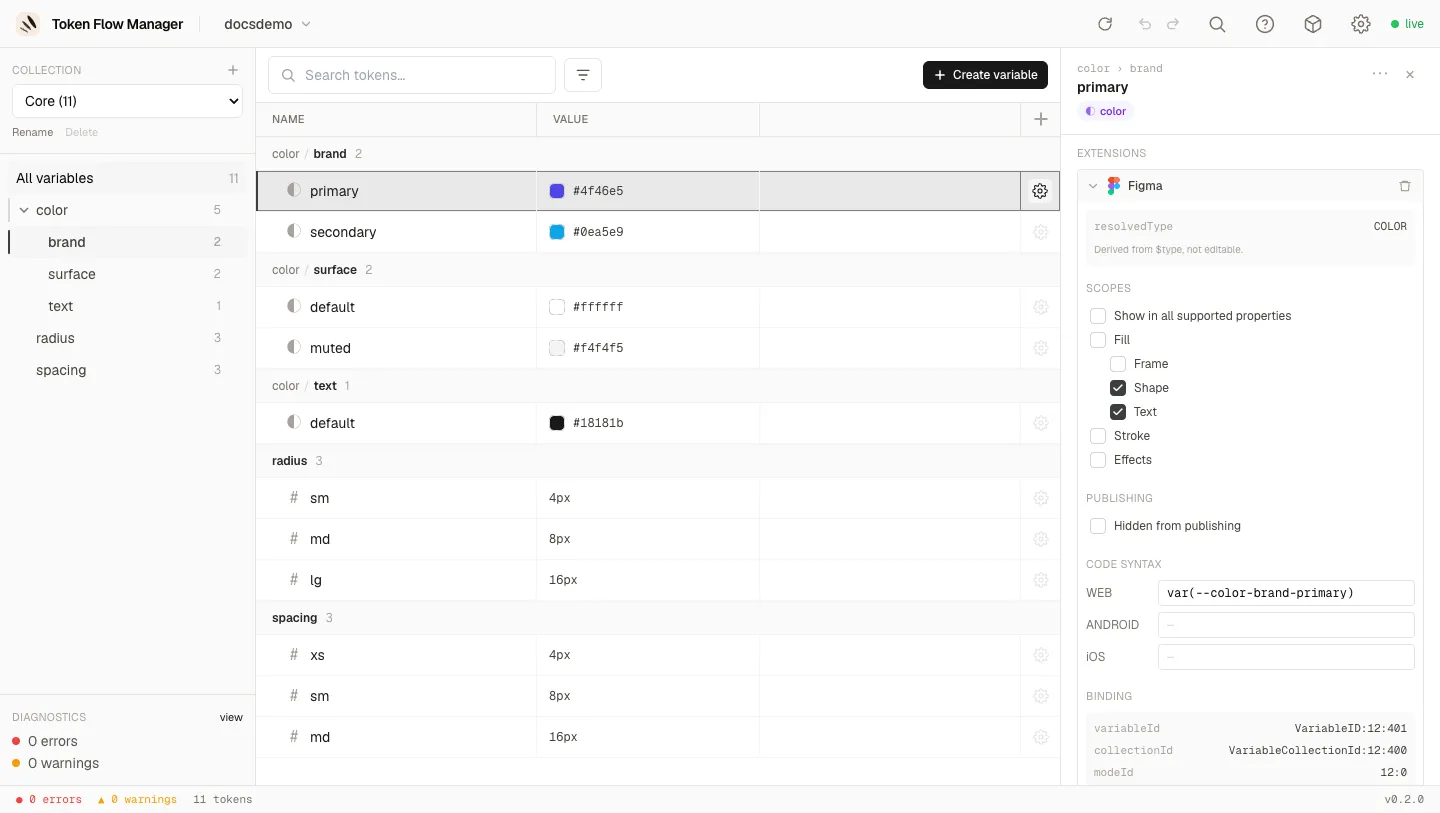
Scopes
The scope list mirrors the Figma UI, including the hierarchy (Fill parent of Frame / Shape / Text) and the exclusivity of Show in all supported properties, which greys the rest out.
The list depends on the variable type. A colour offers fills, stroke and effects; a
number offers corner radius, gap, sizes and the typography scales. That is derived from the
token's $type, so you can only ever assign a scope Figma would accept.
Field roles
Not every field in a vendor block means the same thing, so they are not all editable:
| Field | Role | In the UI |
|---|---|---|
scopes, hiddenFromPublishing, codeSyntax |
Editable | Full controls |
resolvedType |
Derived from the token's $type |
Read-only, with a Fix action when the stored value disagrees |
variableId, collectionId, modeId |
Binding identity | Read-only |
Identities are not editable, on purpose
variableId and friends are what binds the token to a real Figma variable. Editing one
would silently rewrite a different variable on the next import. The server rejects it
too, so no client can write it. resolvedType is refused the same way when it
contradicts the $type: Figma would reject the file on import.
Multi-selection
Select several rows (Cmd or Shift click), right-click, and pick Edit N variables. The panel takes the place of the detail panel and edits the whole selection:
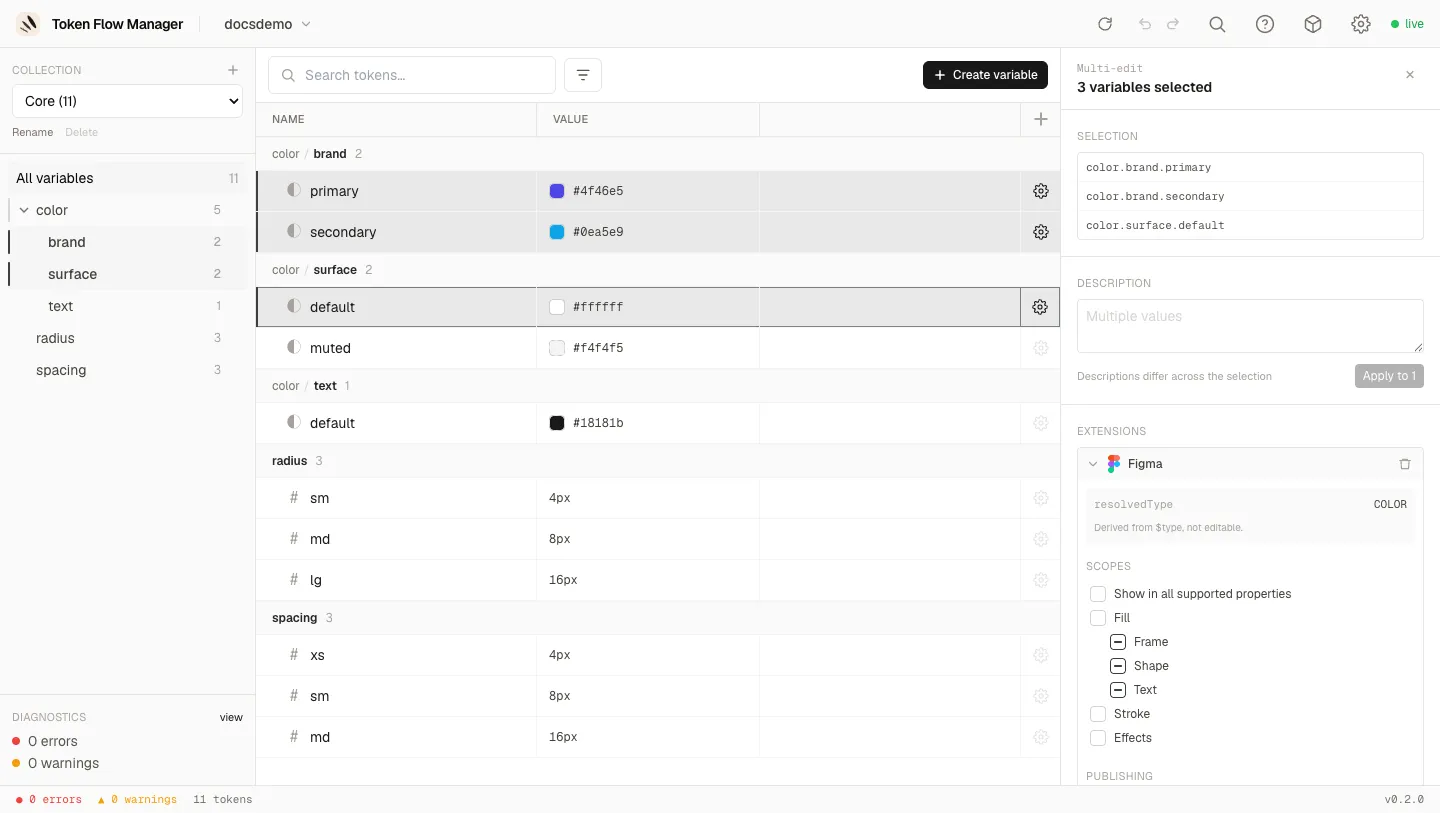
Description
The field shows Multiple values when they differ, and nothing is written until you edit it and press Apply to N. The counter says how many rows would actually change, so opening the panel by mistake can never blank twenty descriptions.
Tri-state scopes
Each checkbox has three states across the selection:
- checked: every concerned variable has the scope
- empty: none has it
- indeterminate: some do
Clicking from indeterminate adds the scope to all of them; clicking a checked box removes it from all of them. What you do not click is not touched, so a bulk edit is additive by scope rather than a wholesale replacement.
Mixed types
Selecting a colour and a dimension together shows the union of both scope lists, with a
1/2 counter on the lines that only apply to part of the selection. Only the concerned
variables are written.
Under the hood
- Every bulk edit is one transaction: validated entirely before anything is written,
one parse/write per file, and one undo item for the lot (
Describe 3 variables,Edit extensions on 2 variables). - Writes are key-level merges, never a block replacement. It matters when a collection
folds its modes into path segments:
modeIdis per mode whilescopesare per token, so replacing the block would break the binding. - Scopes are written in a canonical order with the
ALL_SCOPESexclusivity applied server-side, so the diff stays stable whatever the client sent.