Settings
Open settings from the gear icon in the top-right of the header. Settings are grouped into four tabs.
General
Type checking and file watching. Saved to tokenflow.config.json.
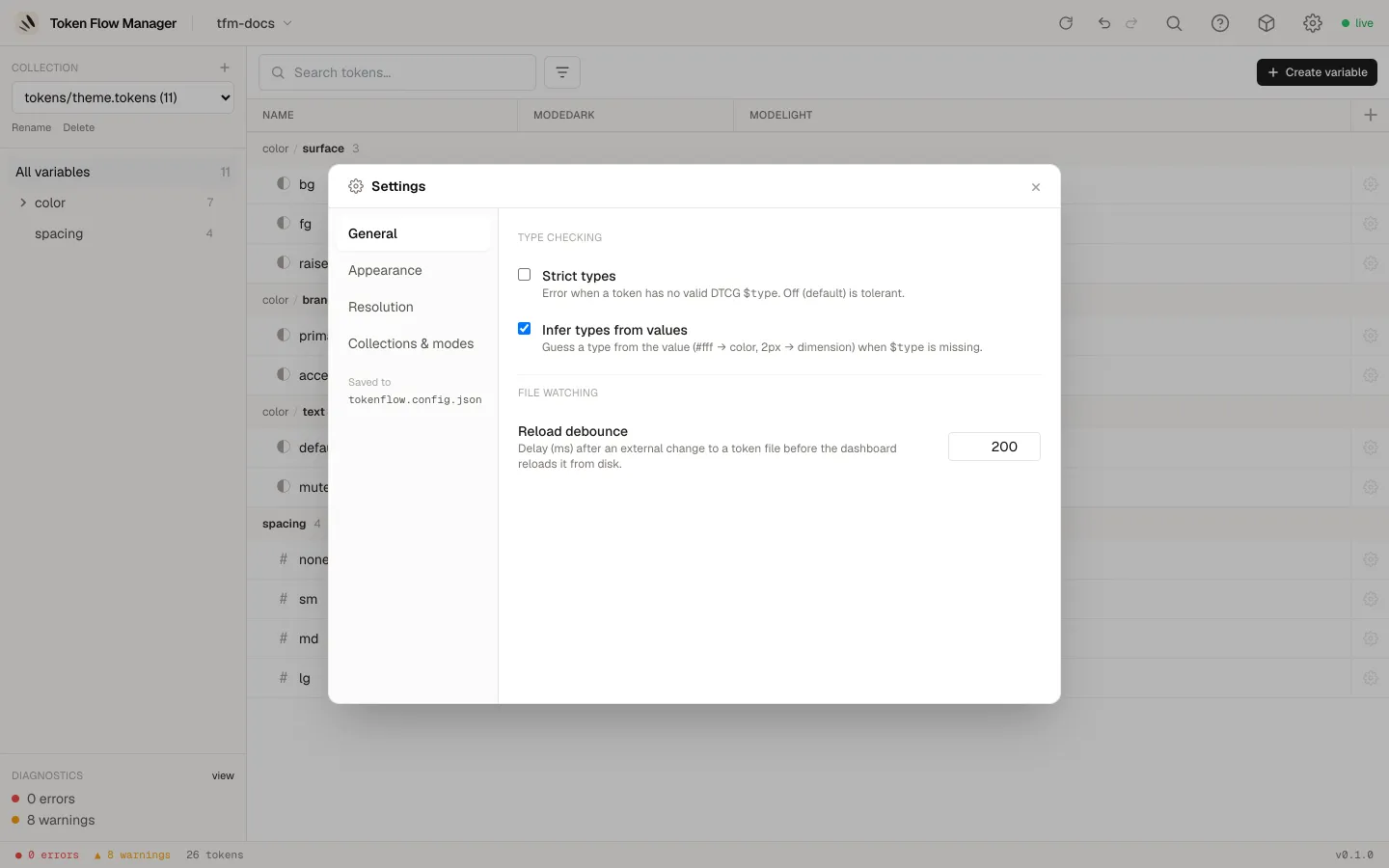
- Strict types: raise an error when a token has no valid DTCG
$type. Off by default (tolerant). - Infer types from values: guess a type from the value (
#fffto color,2pxto dimension) when$typeis missing. - Reload debounce (ms): delay after an external change to a token file before the dashboard reloads it from disk.
Appearance
Pick the dashboard accent colour. This preference is stored in your browser, per device, and applies instantly.
Resolution
How aliases resolve across your collections. Saved to tokenflow.config.json.
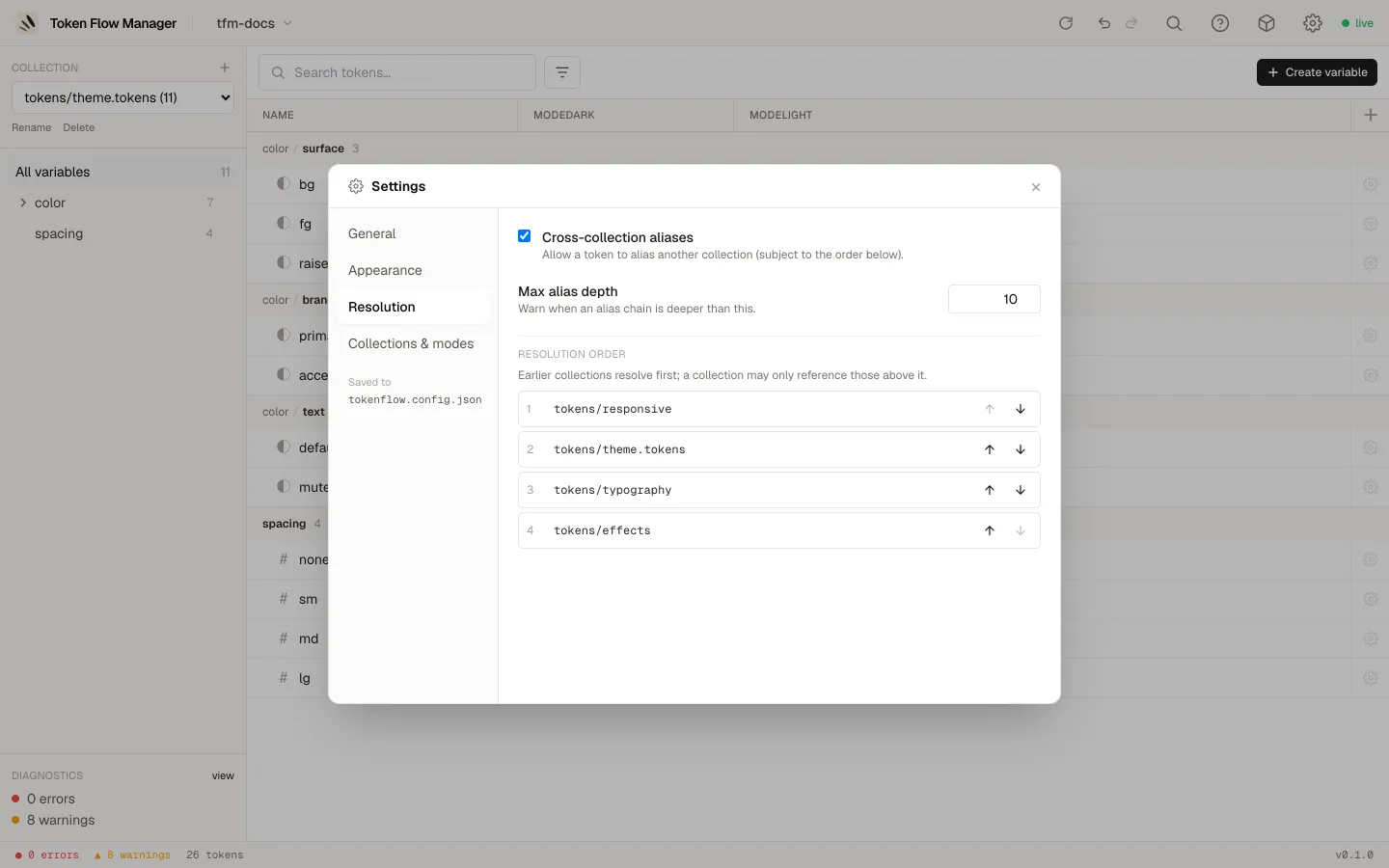
- Cross-collection aliases: allow a token to alias another collection.
- Max alias depth: warn when an alias chain is deeper than this.
- Resolution order: reorder collections with the up/down arrows. Earlier collections resolve first; a collection may only reference those above it.
Collections & modes
Describe your collections, their modes (the value columns, e.g. Light/Dark,
Desktop/Tablet) and which files feed each mode. This is the source of truth for how the
tool reads your tokens, and it is saved to manifest.json.
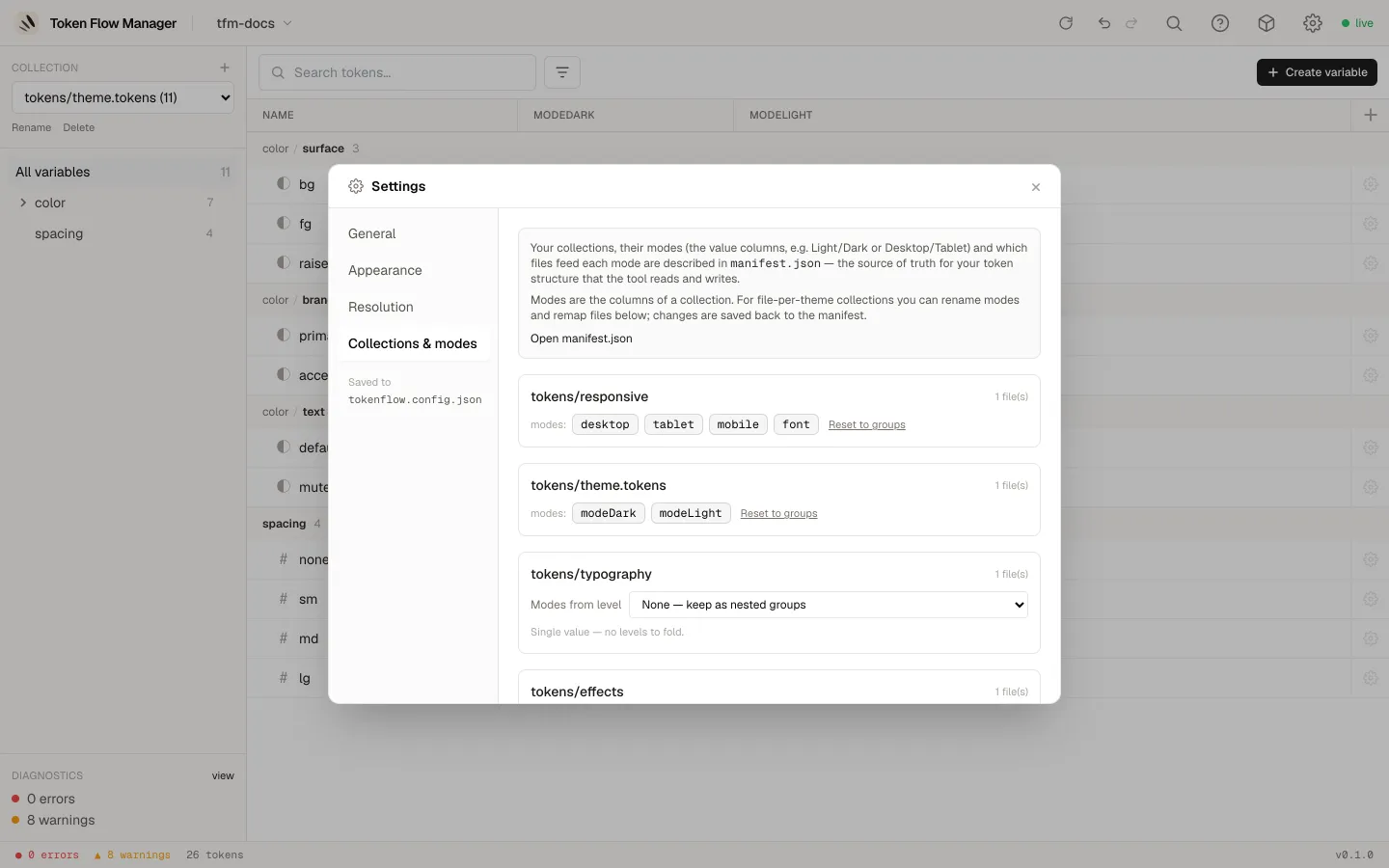
For each collection you can rename modes, choose which nesting level is the mode dimension, or keep the tokens as plain nested groups. Use Open manifest.json to edit the file directly.